Introduction
Lindy is Free Bootstrap 5 UI Kit Crafted for Startup Landing Pages and Websites. It comes with 200+ UI elements, 5 example templates, tons of sections and everything you need to create complete startup landing page or websites.
If something is missing from documentation and you need help, feel free to submit your support ticket here
Note: All components and elements are based on bootstrap frameworks. We have enhanced the components and added more elements for your projects.
BENEFITS
The main purpose of this kit is to give a full solution to designers and developers in the categories of startup and SaaS landing pages. This kit provides multiple combinations of examples and sample pages for you to work on including numerous components and element styles.
WHAT THIS KIT INCLUDES
Lindy UI Kit offers easy-to-use and fully customizable elements including CSS and HTML files along with the templates
- Well organized file structure
- Fonts and Fonticons, Demo images
- SASS files with minimal code and variables
- Clean code for HTML, CSS and SASS based on latest Bootstrap
- Vanilla js scripts (No jQuery)
- 100+ ready-to-use components
- Ready-to-use HTML templates
License
RIGHTS
Copyright © 2022
You have rights for royalty free use of our resources for any and/or all of your personal and commercial projects. You may modify the resources according to your requirements and use them royalty free in any and/or all of your personal and commercial projects. For example, you may include this resource in a website you will be designing for a client. You are not required to attribute or link to Lindy UI Kit in any of your projects. Lindy UI Kit will not be responsible for any outcome that may occur during the course of usage of our resources. We reserve the rights to change prices and revise the resources usage policy at any moment.
PROHIBITATIONS
You do not have the rights to redistribute, resell, lease, license, sub-license or offer the file downloaded to any third party. For any rescalable web applications or software programs, you should not include our graphic resources as an additional attachment. This will be considered as a redistribution of our resources which is forbidden by us - Lindy UI Kit
Quick start
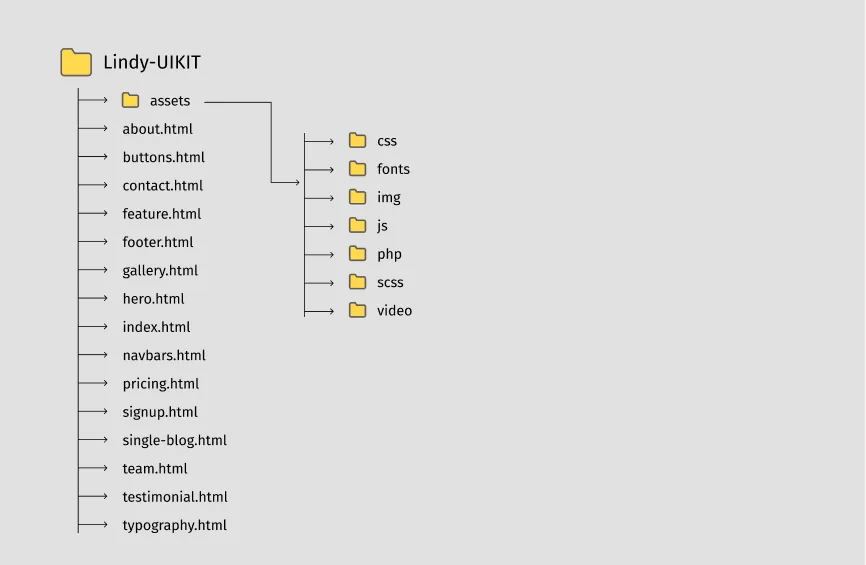
To start using this Lindy design system you will first need to import some files in your project or download ready to use starter templates.
FILE STRUCTURE
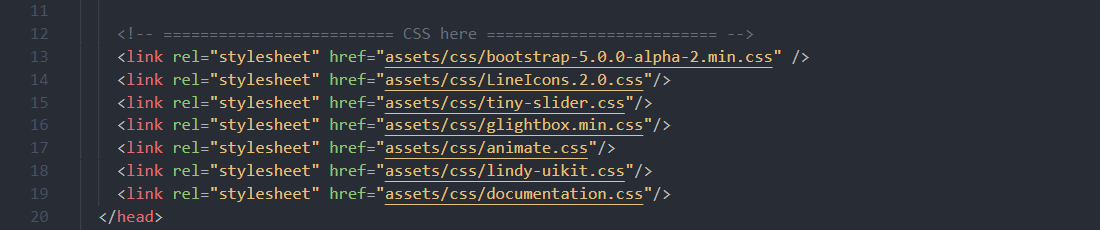
CSS
Copy and paste the stylesheet link into head before all other stylesheets to load our CSS.
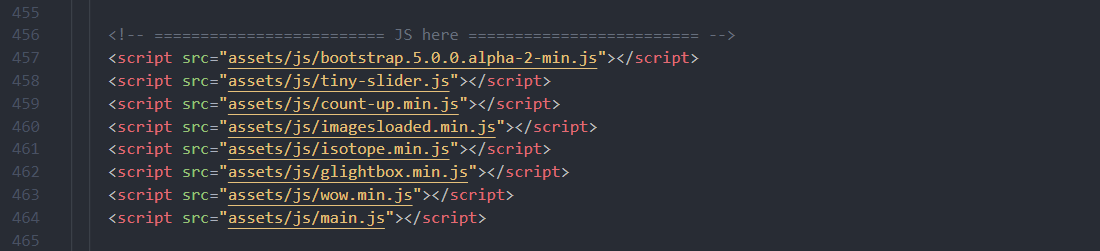
Javascript
Most of bootstrap components require the use of JavaScript to function. We added some popular plugins in the /js folder like Tiny slider, Isotope and WOW js. Our main.js file contains some additional scripts which may come handy for your project.
Javascript
    <!doctype html>
    <html class="no-js" lang="en">
    <head>
        <meta charset="utf-8" />
        <meta http-equiv="x-ua-compatible" content="ie=edge" />
        <title>Lindy - Free Bootstrap 5 UI Kit</title>
        <meta name="description" content=""  />
        <meta name="viewport" content="width=device-width, initial-scale=1" />
        <link rel="shortcut icon" type="image/x-icon" href="assets/img/favicon.svg"/>
        <!-- ========================= CSS here ========================= -->
        <link rel="stylesheet" href="assets/css/bootstrap-5.0.0-alpha-2.min.css" />
        <link rel="stylesheet" href="assets/css/LineIcons.2.0.css"/>
        <link rel="stylesheet" href="assets/css/tiny-slider.css"/>
        <link rel="stylesheet" href="assets/css/glightbox.min.css"/>
        <link rel="stylesheet" href="assets/css/animate.css"/>
        <link rel="stylesheet" href="assets/css/lindy-uikit.css"/>
    </head>
    <body>

        <!--====== Alerts Part Start ======-->
        <p> Your Contents are gone here! </p>
        <!--====== Alerts Part Ends ======-->

        <!-- ========================= JS here ========================= -->
        <script src="assets/js/bootstrap.5.0.0.alpha-2-min.js"></script>
        <script src="assets/js/tiny-slider.js"></script>
        <script src="assets/js/count-up.min.js"></script>
        <script src="assets/js/imagesloaded.min.js"></script>
        <script src="assets/js/isotope.min.js"></script>
        <script src="assets/js/glightbox.min.js"></script>
        <script src="assets/js/wow.min.js"></script>
        <script src="assets/js/main.js"></script>
    </body>
    </html>
Typography
All HTML headings, h1 through h5 are available with blod to light style.
Bold Heading
Heading 1 Bold
Heading 2 Bold
Heading 3 Bold
Heading 4 Bold
Heading 5 Bold
Heading 6 Bold
    <h1>Heading 1 Bold</h1>
    <h2>Heading 2 Bold</h2>
    <h3>Heading 3 Bold</h3>
    <h4>Heading 4 Bold</h4>
    <h5>Heading 5 Bold</h5>
    <h6>Heading 6 Bold</h6>
Light Heading
Heading 1 Light
Heading 2 Light
Heading 3 Light
Heading 4 Light
Heading 5 Light
Heading 6 Light
    <h1 class="font-weight-light">Heading 1 light</h1>
    <h2 class="font-weight-light">Heading 2 light</h2>
    <h3 class="font-weight-light">Heading 3 light</h3>
    <h4 class="font-weight-light">Heading 4 light</h4>
    <h5 class="font-weight-light">Heading 5 light</h5>
    <h6 class="font-weight-light">Heading 6 light</h6>
Helper Classes
For controlling negative space you can use .mt-5 through .mt-200 these classes.
Note: .mt- for margin-top, .mb- for margin-bottom, .ml- for margin-left, .mr- for margin-right, .pt- for padding-top, .pb- for padding-bottom, .pl- for padding-left, .pr- for padding-right. Also you can use Bootstrap-5's classes if you want.
    .mt-5 {
      margin-top: 5px;
    }
    .mt-10 {
      margin-top: 10px;
    }
    .mt-15 {
      margin-top: 15px;
    }
    .mt-20 {
      margin-top: 20px;
    }
Navbars Section
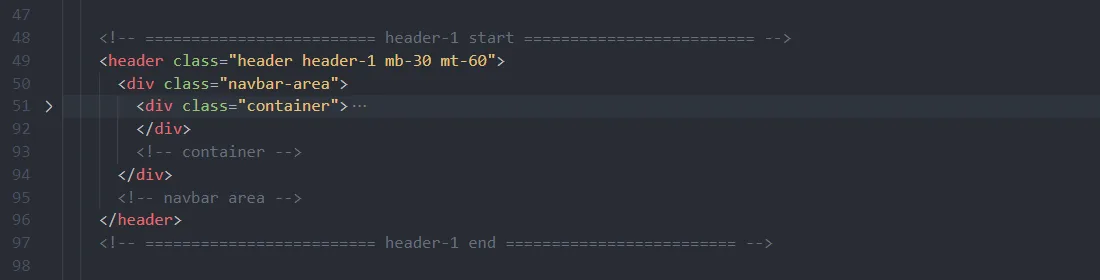
Lindy includes 7 variation of Navbar. You can choose one of these for your project. After choosing the variation you have to copy the code from start to end of this variation. If you choose the first demo then Code structure will like below.
For more info you can see the navbars.html file.
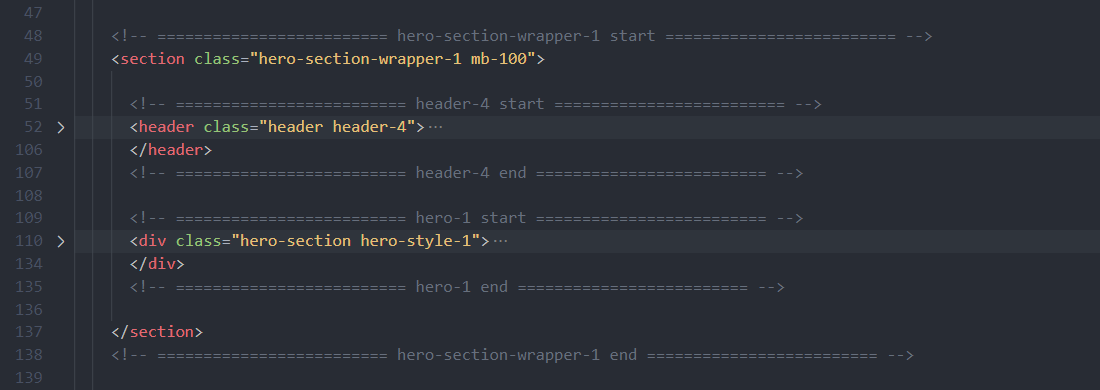
Hero Section
Lindy includes 7 variation of Hero Sections with transparent navbar. You can choose one of these for your project. After choosing the variation you have to copy the code from start to end of this variation. If you choose the first demo then Code structure will like below.
For more info you can see the hero.html file.
About Section
Lindy includes 7 styles of About Sections. You can choose one of these for your project. After choosing the variation you have to copy the code from start to end of this variation. If you choose the first demo then Code structure will like below.
For more info you can see the about.html file.
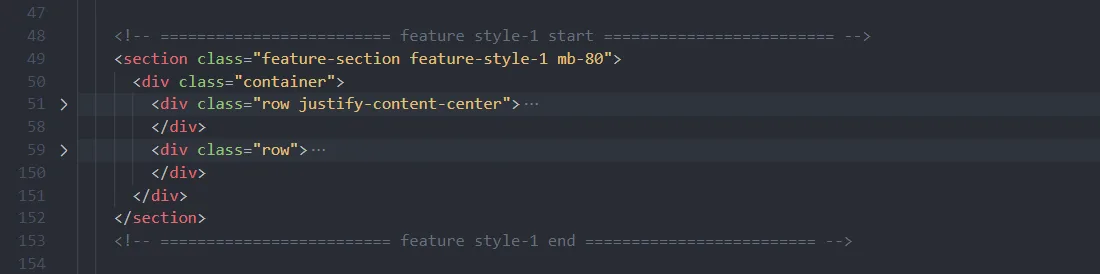
Feature Section
Lindy includes several predefined Feature Sections. You can choose one of these for your project. After choosing the variation you have to copy the code from start to end of this variation. If you choose the first demo then Code structure will like below.
For more info you can see the feature.html file.
Gallery Section
Lindy includes several predefined Gallery Sections. You can choose one of these for your project. After choosing the variation you have to copy the code from start to end of this variation. If you choose the first demo then Code structure will like below.
For more info you can see the gallery.html file.
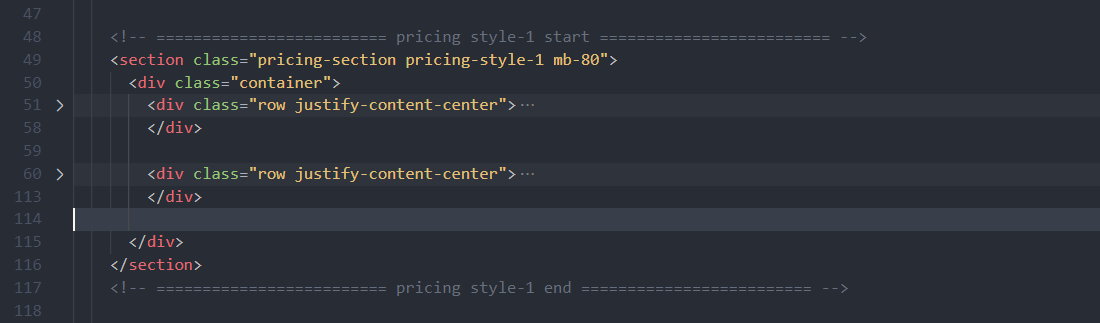
Pricing Section
Lindy includes several predefined Pricing Sections. You can choose one of these for your project. After choosing the variation you have to copy the code from start to end of this variation. If you choose the first demo then Code structure will like below.
For more info you can see the pricing.html file.
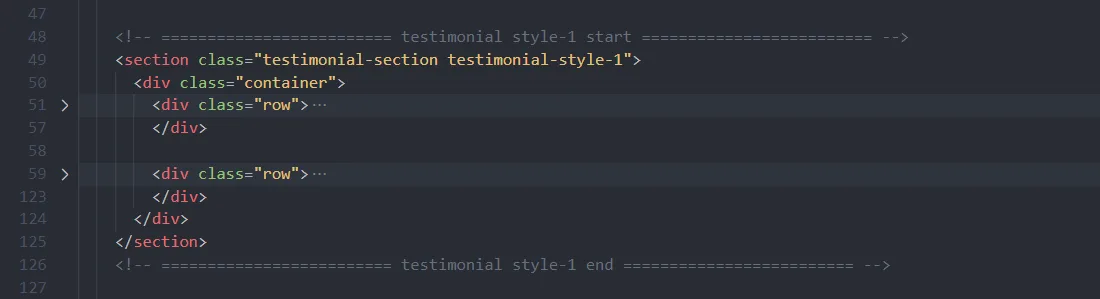
Testimonial Section
Lindy includes several predefined Testimonial Sections. You can choose one of these for your project. After choosing the variation you have to copy the code from start to end of this variation. If you choose the first demo then Code structure will like below.
For more info you can see the testimonial.html file.
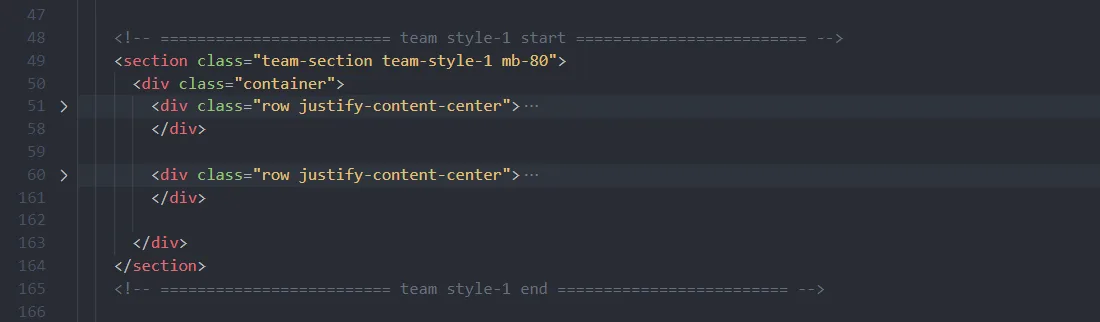
Team Section
Lindy includes several predefined Team Sections. You can choose one of these for your project. After choosing the variation you have to copy the code from start to end of this variation. If you choose the first demo then Code structure will like below.
For more info you can see the team.html file.
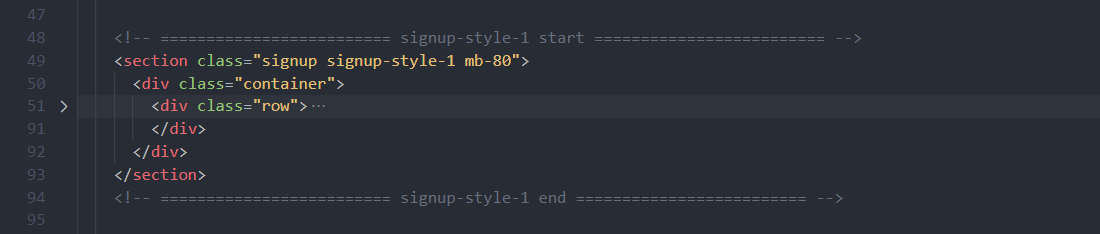
Signup Section
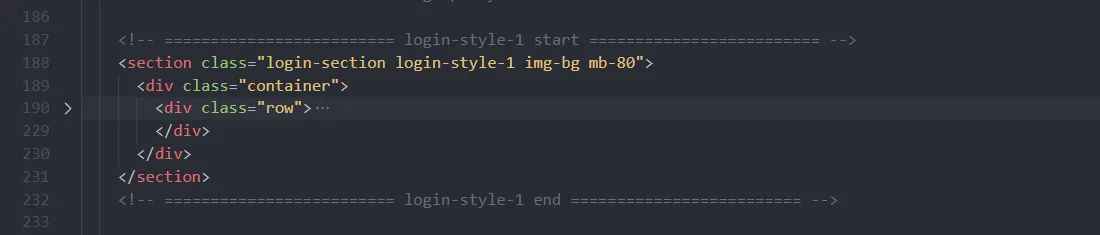
Lindy includes several predefined Signup and Sign in Sections. You can choose one of these for your project. After choosing the variation you have to copy the code from start to end of this variation. If you choose the first demo then Code structure will like below.
Signup
Log in
For more info you can see the signup.html file.
Single blog page
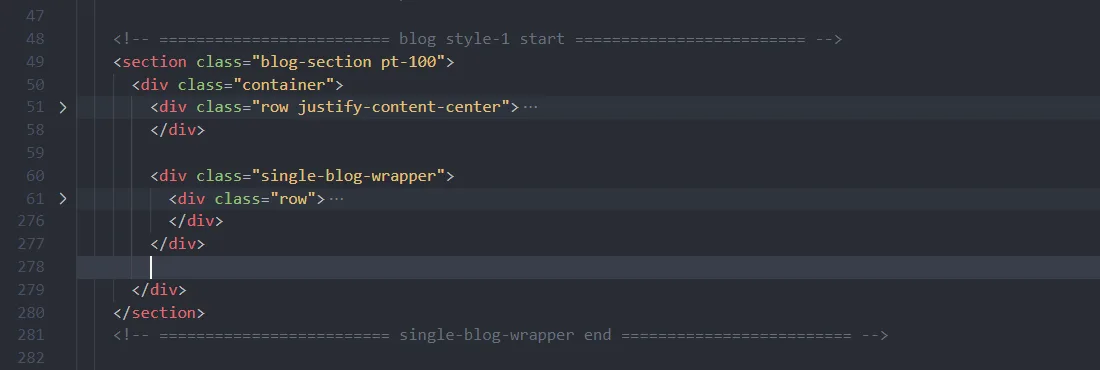
Lindy includes single blog page.The code structure of single-blog is like below.